Undone Menu Bar List View: Today List, Quick Input, and Categorized Lists
Click to zoom

Bring your to-dos to the Mac menu bar.

Hello,

We built Undone for Mac users who want a calm, lightweight to-do companion resting quietly at the top of their screen.

It syncs directly with Apple Reminders—no new account needed, and no migration to yet another cloud database. The workflow is pure and minimal: glance at today’s tasks, capture spontaneous ideas with natural language, and sort priorities using the Eisenhower matrix when you need clarity.

It never interrupts your active window: ready when you click, stepping back smoothly when you don't. We hope it brings peace and focus to your daily craft.

macOS 13.0 Ventura or later Real-time Apple Reminders Sync 100% On-Device Privacy · No Tracking
01 · Agile Access

Live in the menu bar, free of bulky windows

Click the Undone icon in your menu bar or invoke it with a global shortcut. Today's commitments, list breakdowns, and deadlines appear instantly. Type at the bottom to jot down tasks, and check them off when done without interrupting your creative flow.

“Keep to-dos in the menu bar: present when needed, quiet when not.”
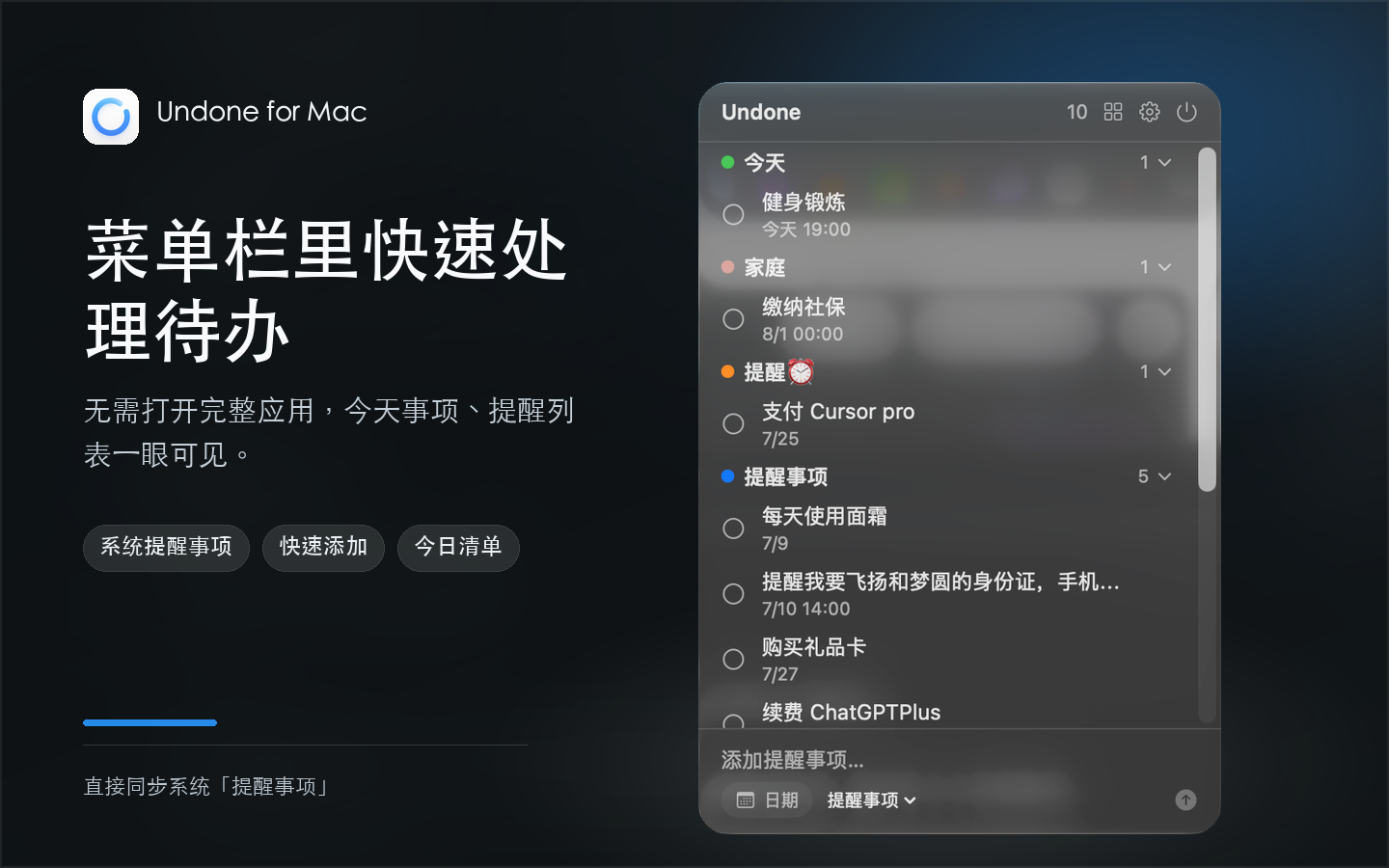
Undone Menu Bar List View with Quick Input
02 · Priority Strategy

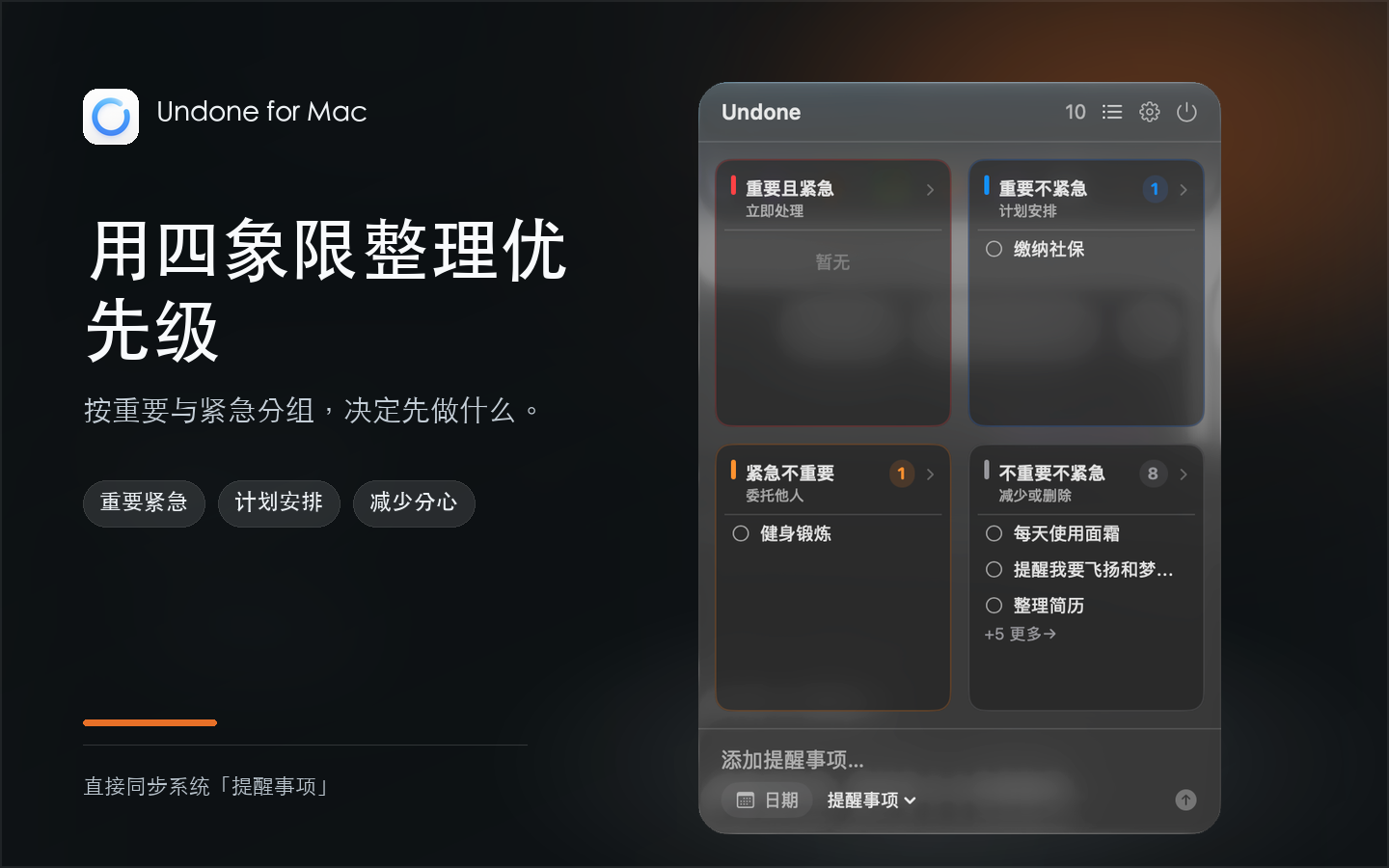
Turn long lists into action with Eisenhower Quadrants

Overwhelmed by endless checkboxes? Undone automatically categorizes tasks based on urgency and importance: Important & Urgent (Do immediately), Important & Not Urgent (Plan ahead), Urgent & Not Important (Delegate), and Neither (Eliminate or tidy).

“More than a checklist—a compass for what matters most.”
Undone Four-Quadrant Eisenhower Matrix View
03 · Deep Immersion

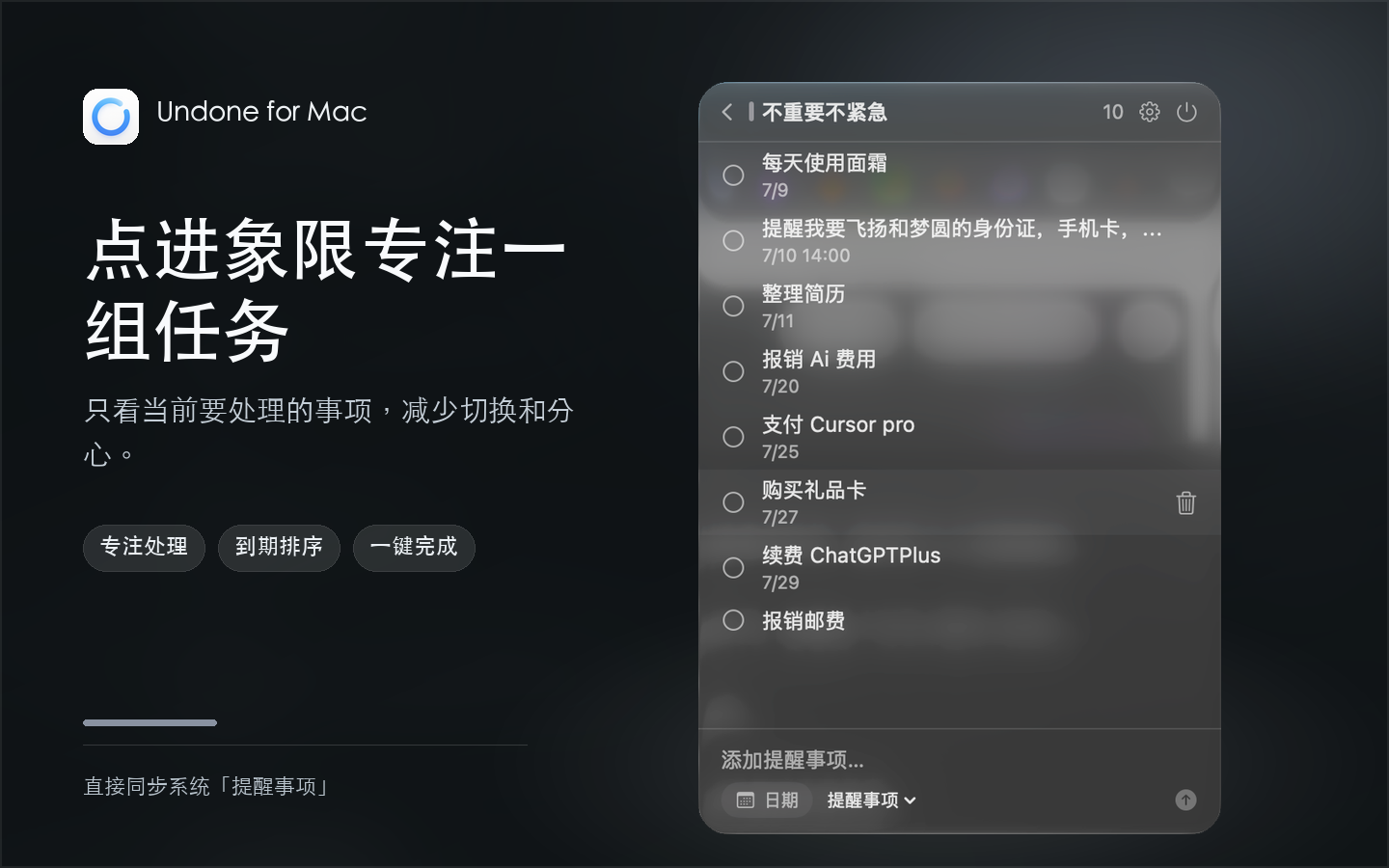
Single-quadrant focus with a 25-minute Pomodoro timer

Drill into any quadrant to filter out distractions and see only the tasks of that priority. Pick a task to launch a 25-minute Pomodoro focus session. The menu bar displays a dynamic countdown, gently notifying you when it's time for a break.

“Start with one task. Focus for 25 minutes.”
Undone Quadrant Detail and 25-Minute Focus Countdown
04 · Rhythm & Insights

6-Month completion heatmap: celebrate your rhythm

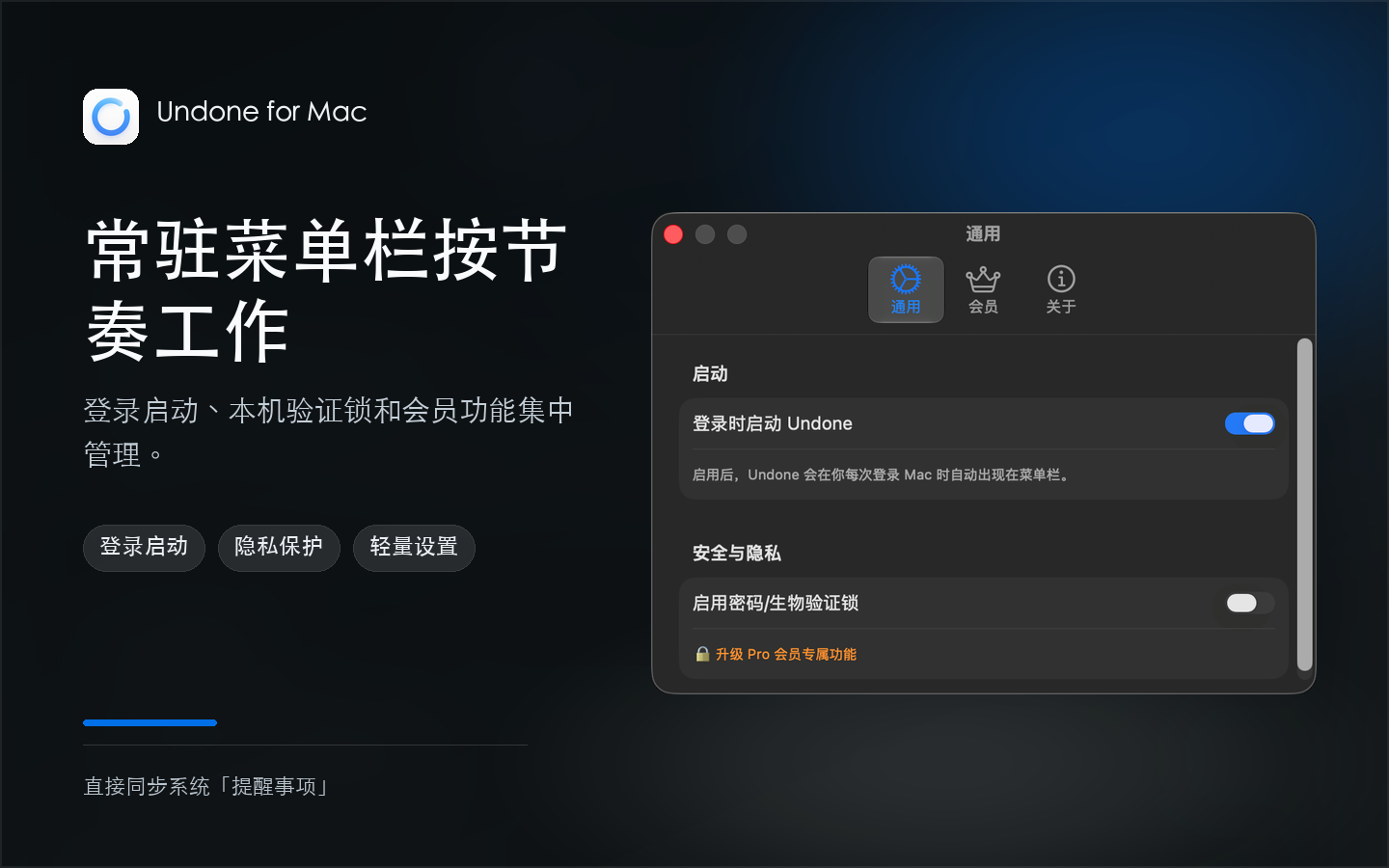
Reflect on your accomplishment history with a GitHub-style activity dot matrix. Customize launch-at-login, global hotkeys, multiple languages (English, Chinese, Japanese), and alert preferences to perfectly tailor your habits.

“Let every checked box become a footprint of progress.”
Undone Preferences, Heatmap, and Multilingual Settings
05 · Native Protection

Native Touch ID lock to protect work privacy

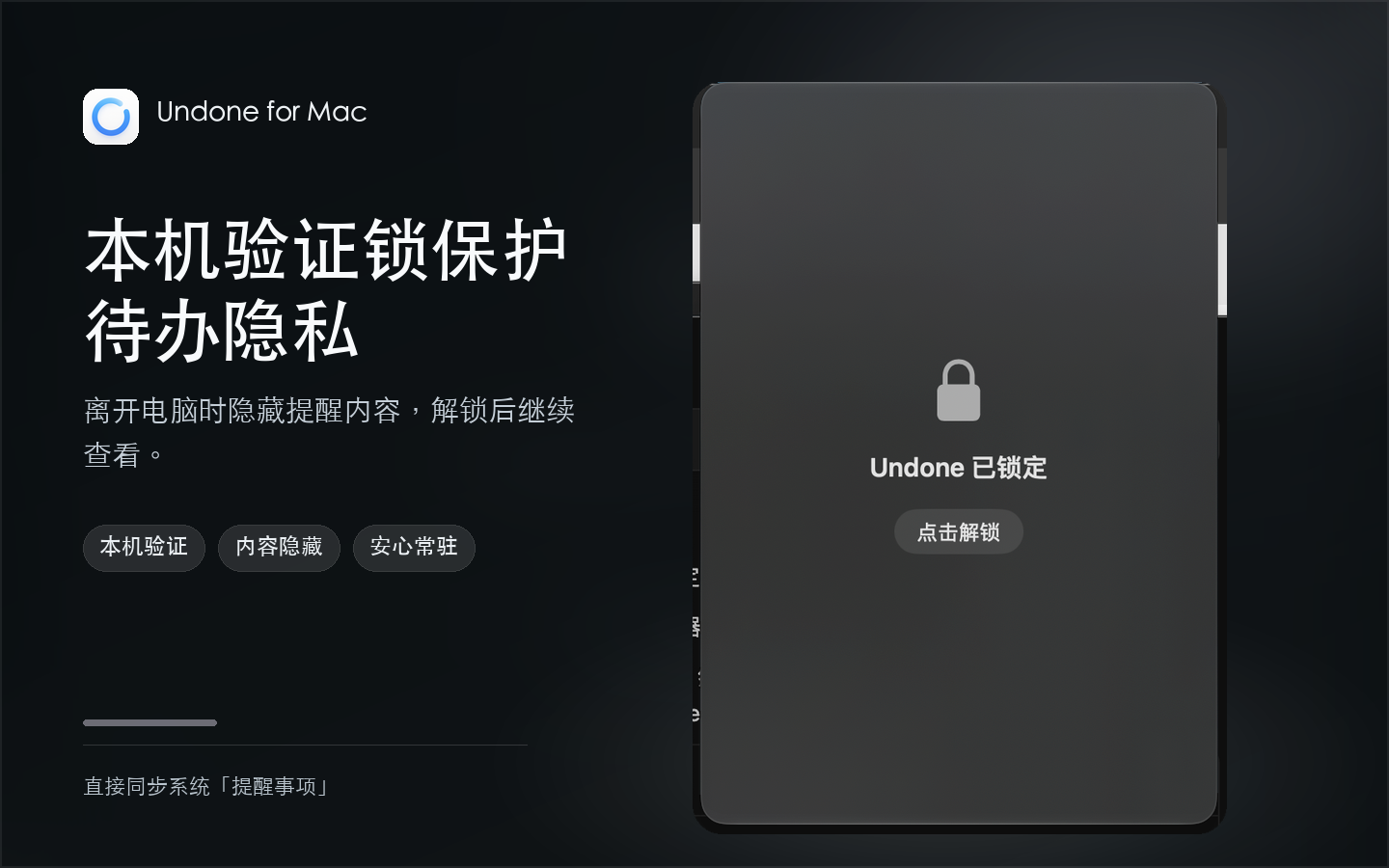
Sharing your screen or stepping away from your desk? Enable the on-device biometric lock. Next time the menu bar extra opens, Touch ID or password authentication is required before task contents reveal.

“Your to-dos show only when you confirm.”
Undone Native Touch ID Biometric Lock

Live in the Menu Bar

Resides calmly at screen top without Dock clutter. Summon and hide in a fraction of a second via hotkeys.

Apple Reminders 2-Way Sync

Directly reads and writes the Apple Reminders framework. Zero migration, fully compatible with iCloud roaming.

Eisenhower Priority Matrix

Smart 4-quadrant grouping clarifies urgent vs important so you always tackle high-impact items first.

25-Minute Focus Timer

Built-in Pomodoro timer with live countdown in the menu bar. Complete tasks with satisfying closure.

macOS Desktop Widgets

Today list and 4-quadrant widgets let you inspect priority distributions directly on your desktop canvas.

Touch ID Privacy Shield

Zero data sent to third-party servers. Auto-lock on blur safeguards personal checklists from prying eyes.

Does Undone replace the Apple Reminders app?
No, they complement each other seamlessly. Undone is a rapid menu bar gateway to Apple Reminders, reading and writing the official EventKit framework. Any change made in Undone syncs across iPhone, iPad, Apple Watch, and Mac in real time.
Do I need to register an account or subscribe?
No account required. Core features are free forever with no cloud dependencies. The Pro upgrade is an optional one-time purchase on the Mac App Store supporting indie development.
Is my task data uploaded to third-party servers?
Never. Undone follows a strict privacy-first principle with zero tracking servers. All your lists, deadlines, and notes stay exclusively on your Mac and in Apple's iCloud.
Does it support launch at login and global shortcuts?
Yes. You can toggle "Launch at Login" in Settings and configure a comfortable global hotkey (e.g., Option + Space) to reveal the panel instantly.

Experience Undone Today

Keep to-dos in the background, save your focus for creative work. Requires macOS 13.0 or later.

Download on Mac App Store
Link copied! Send it to your Mac 🚀